
Buy Coins with Kucoin Exchange
In this tutorial we are going to show you how to buy alt-coins in the supported networks to pay for gas and deployment fees.
For this tutorial we are going to use Kucoin exchange to buy AVAX coins, but the process is similar to all exchanges and coins
We are going to start this tutorial using some Ether
Learn how to Buy EtherSign up for Kucoin and login
Learn how to Sign up for KucoinDeposit Ether into your Kucoin account
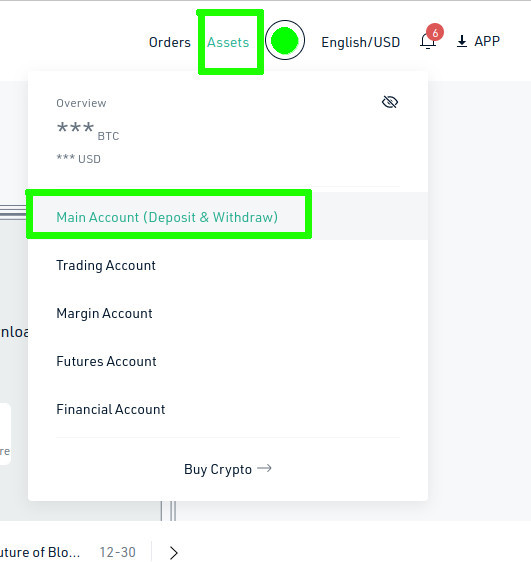
Go to "Assets" - "Main Account"
Deposit Ether into your Kucoin account
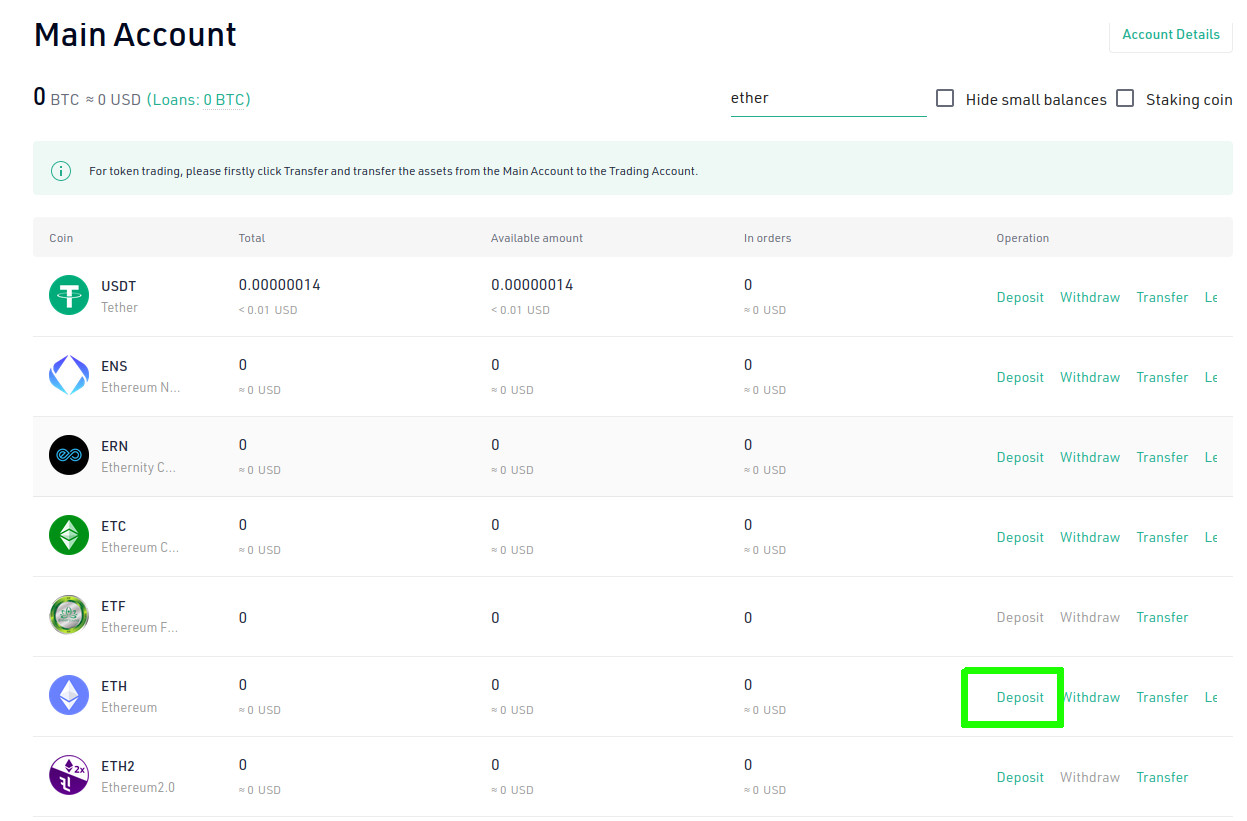
Search for "Ether" and click on "Deposit"
Deposit Ether into your Kucoin account
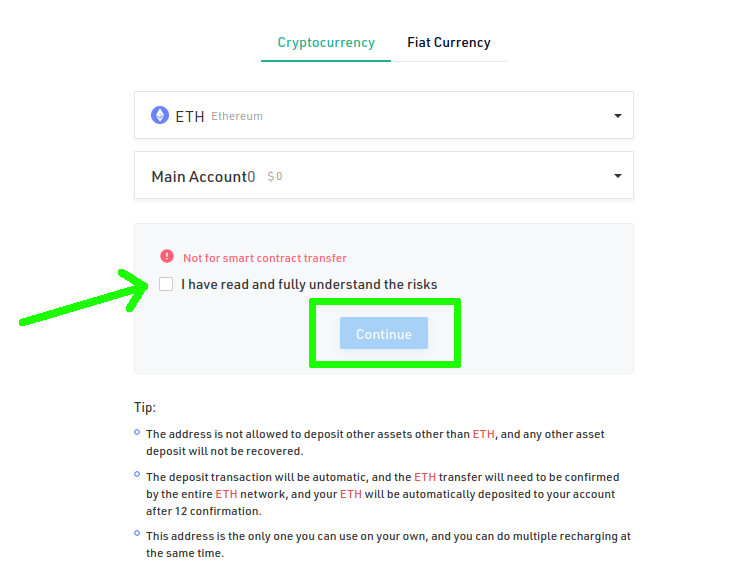
Choose "ETH", read the warnings and check the checkbox and Continue if you understand the risks
Deposit Ether into your Kucoin account
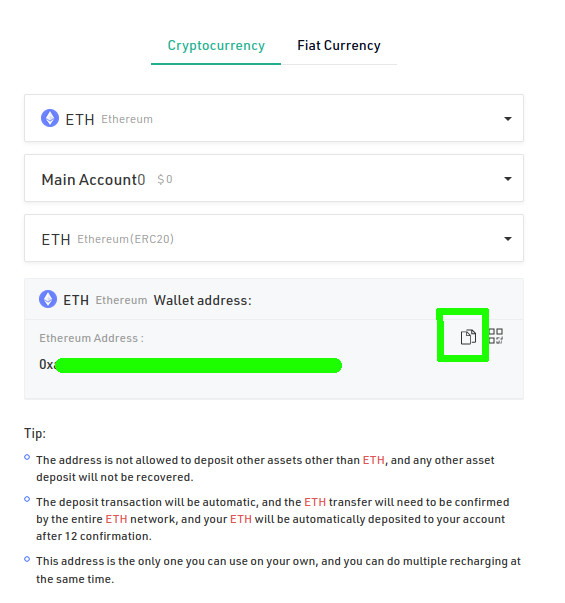
Make sure to select "ETH - Ethereum" network, copy the Ethereum address
Deposit Ether into your Kucoin account
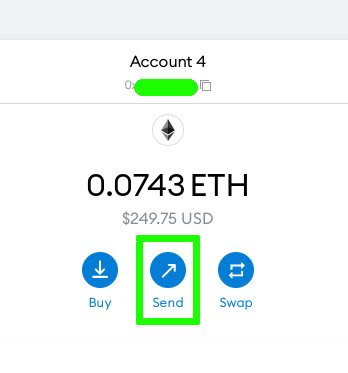
Go to you Metamask account, and click on "Send" to start the transfer of funds to Kucoin
Deposit Ether into your Kucoin account
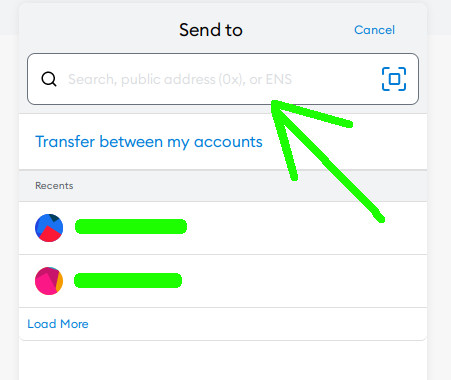
In the "Send to" field paste your Kucoin Ethereum address
Deposit Ether into your Kucoin account
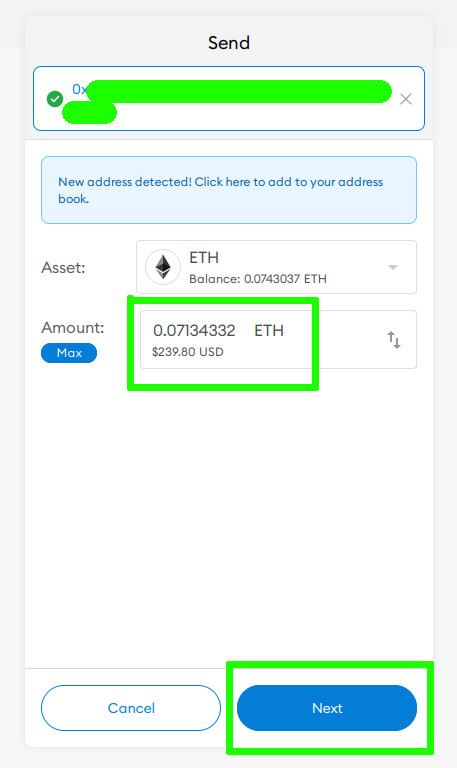
Enter the desired amount to transfer and click "Next"
Deposit Ether into your Kucoin account
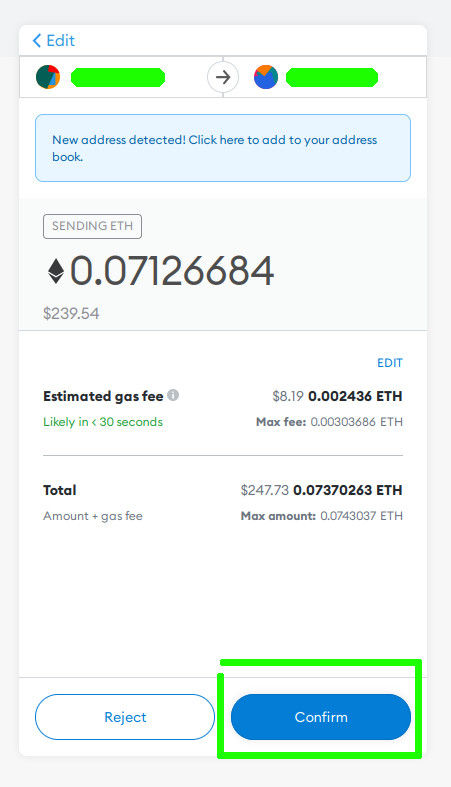
Check the gas fees and click "Confirm" if you agree
Deposit Ether into your Kucoin account
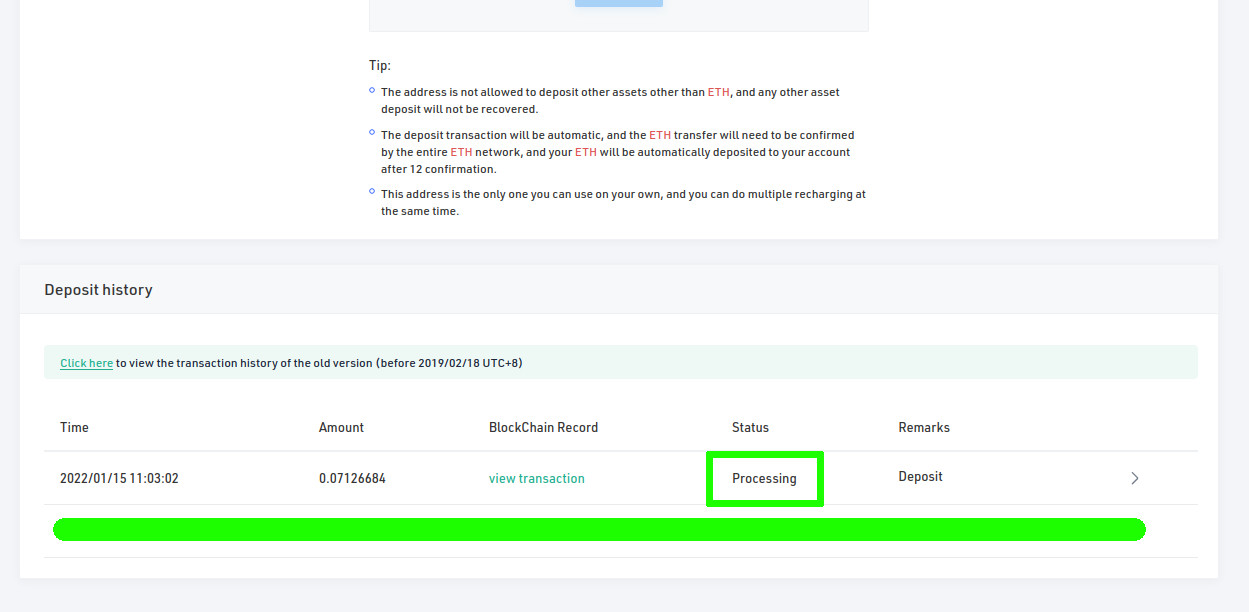
After a few minutes you will see your incoming transaction in Kucoin
Transfer funds to your Trading account
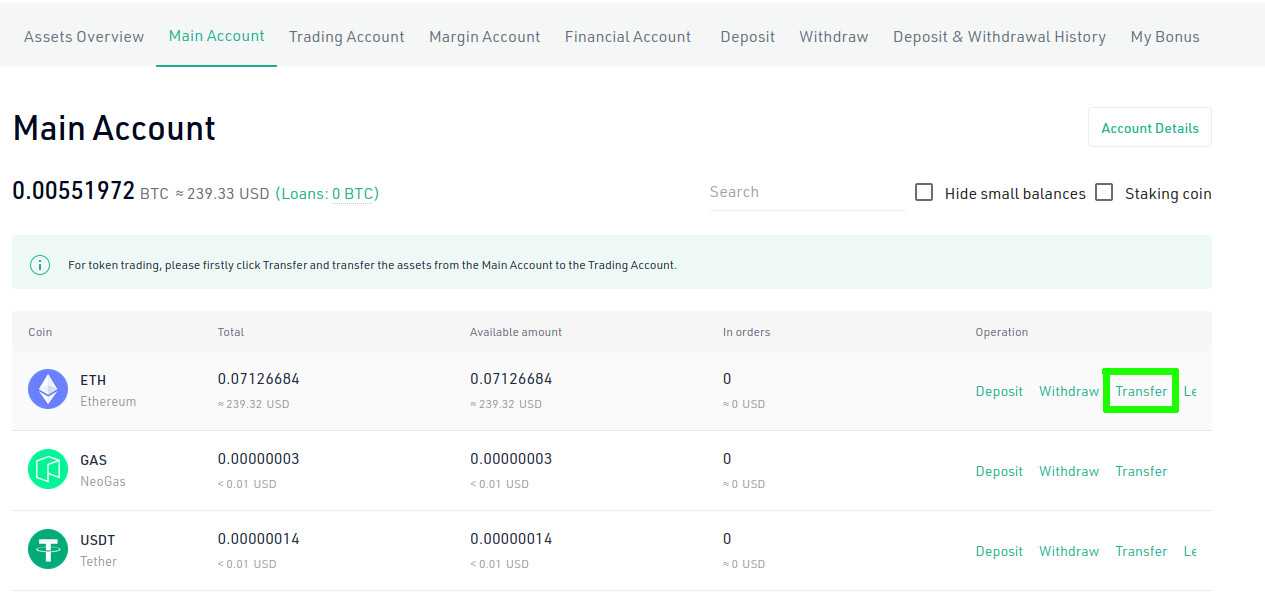
Go to the Main Account tab, and click "Transfer" on the ETH row
Transfer funds to your Trading account
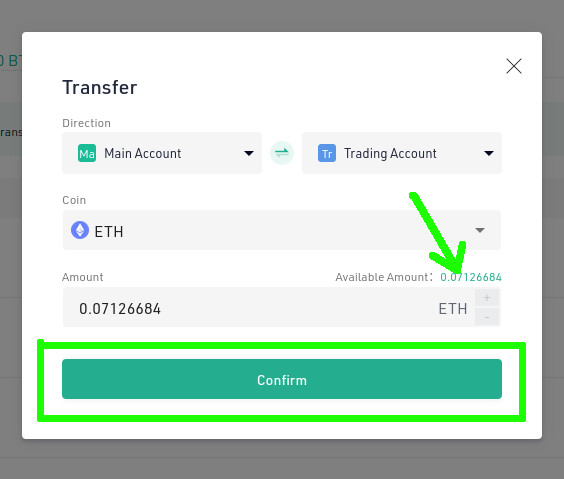
Make sure to transfer from your "Main Account" to your "Trading Account", and enter the amount to transfer
Buy AVAX
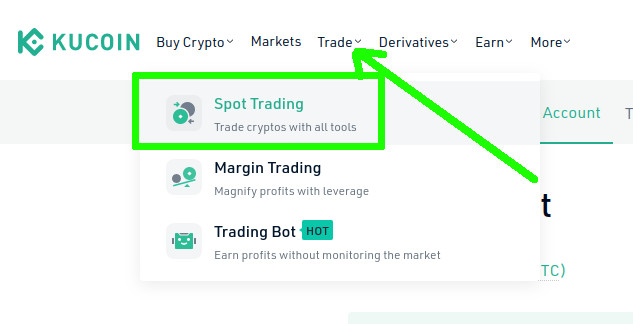
Click on "Trade" and choose "Spot Trading"
Buy AVAX
There is no direct conversion from ETH to AVAX in Kucoin, so, we need to first transform ETH into USDT and then from USDT to AVAX.
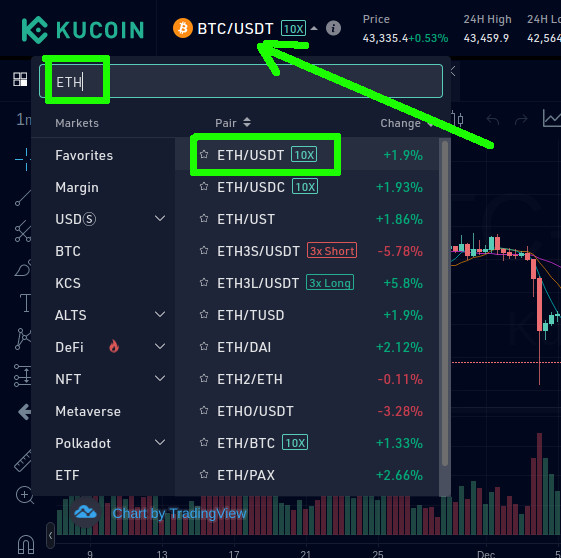
Buy AVAX
Choose "Market", "100%" and "Sell ETH"
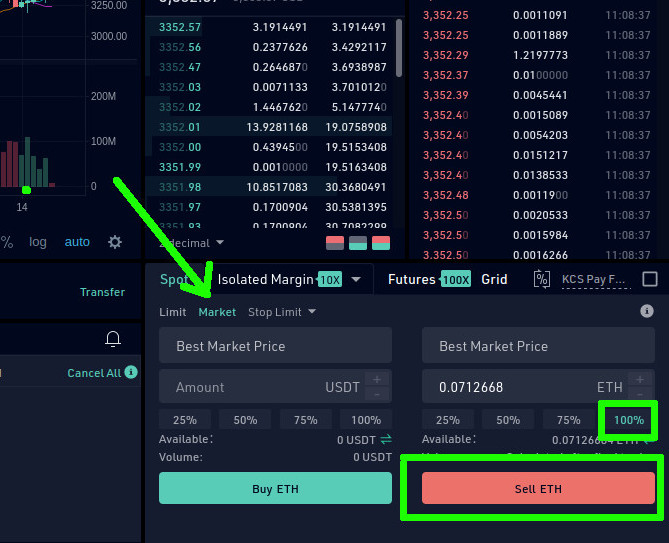
Buy AVAX
In a few seconds the transaction will be finished
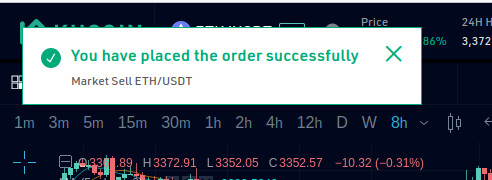
Buy AVAX
Click on pairs, enter "AVAX" and choose "AVAX/USDT"
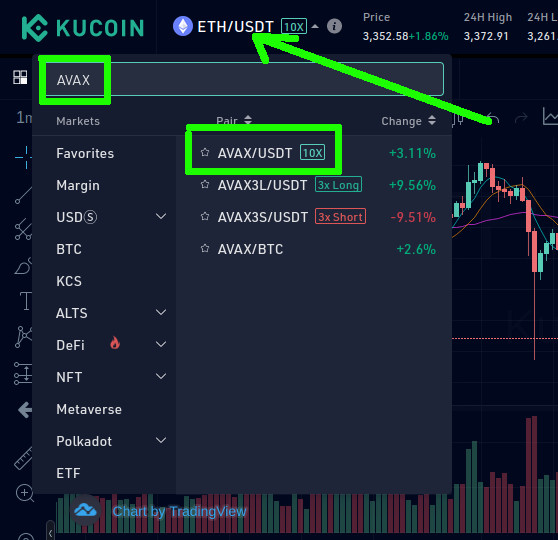
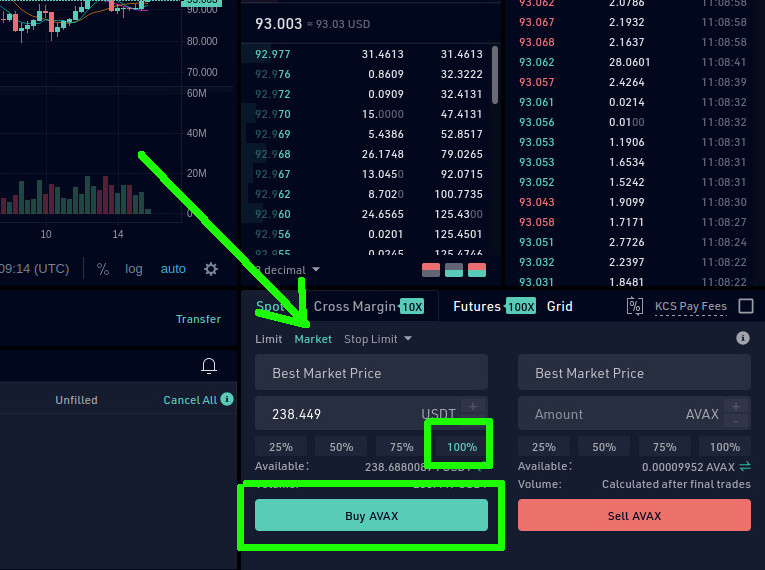
Buy AVAX
Click on "Market", "100%" and "Buy AVAX"
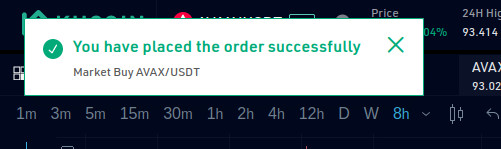
In a few seconds the transaction will be finished
Transfer funds to your Kucoin Main Account
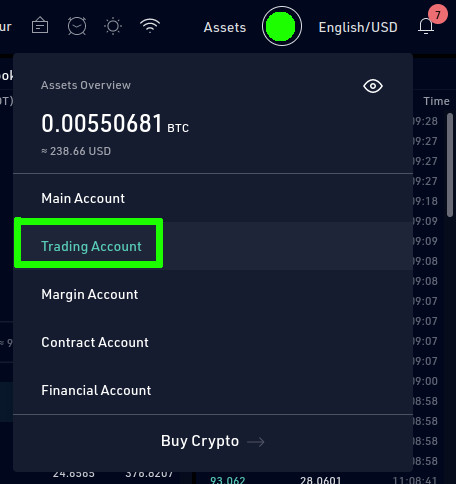
Go to "Assets" "Trading Account"
Transfer funds to your Kucoin Main Account
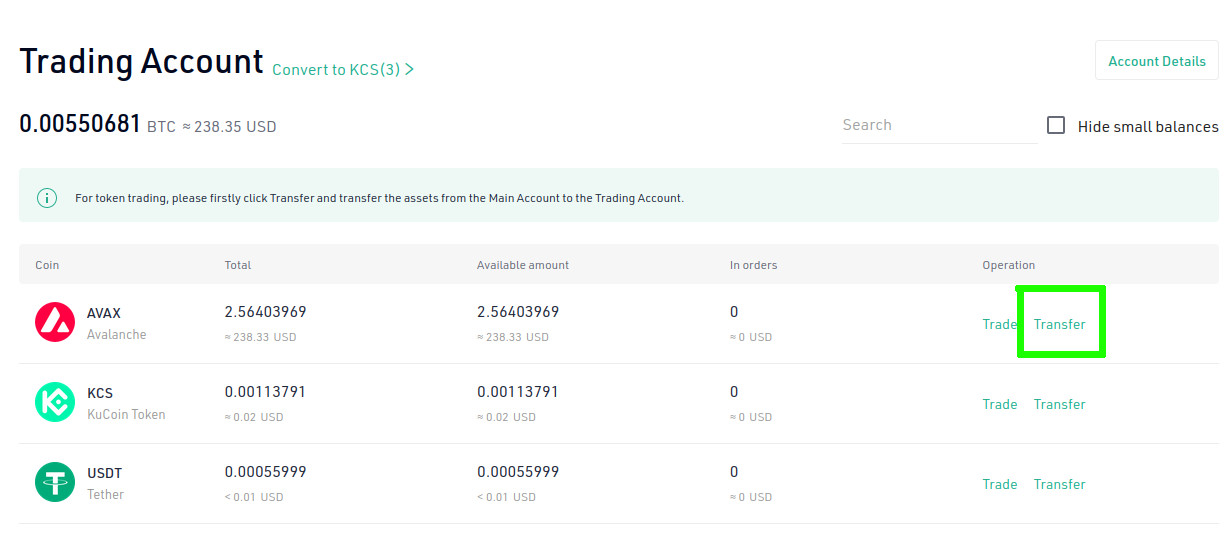
Click on "Transfer" in the AVAX row
Transfer funds to your Kucoin Main Account
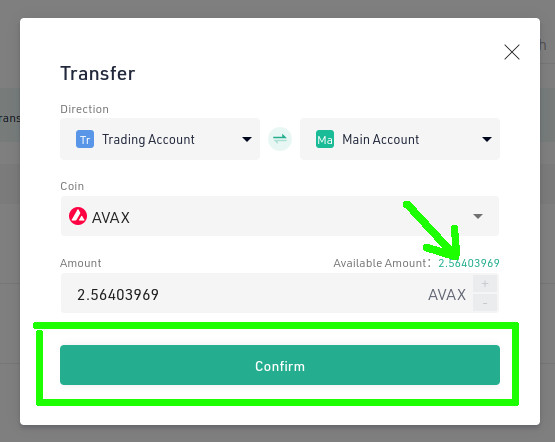
Make sure to transfer from your "Trading Account" to your "Main Account", enter the amount to transfer and click "Confirm"
Transfer funds to Metamask
Switch your Metamask to Avalanche C-Chain network
Learn how to switch networks Learn more about AVAX networkTransfer funds to Metamask
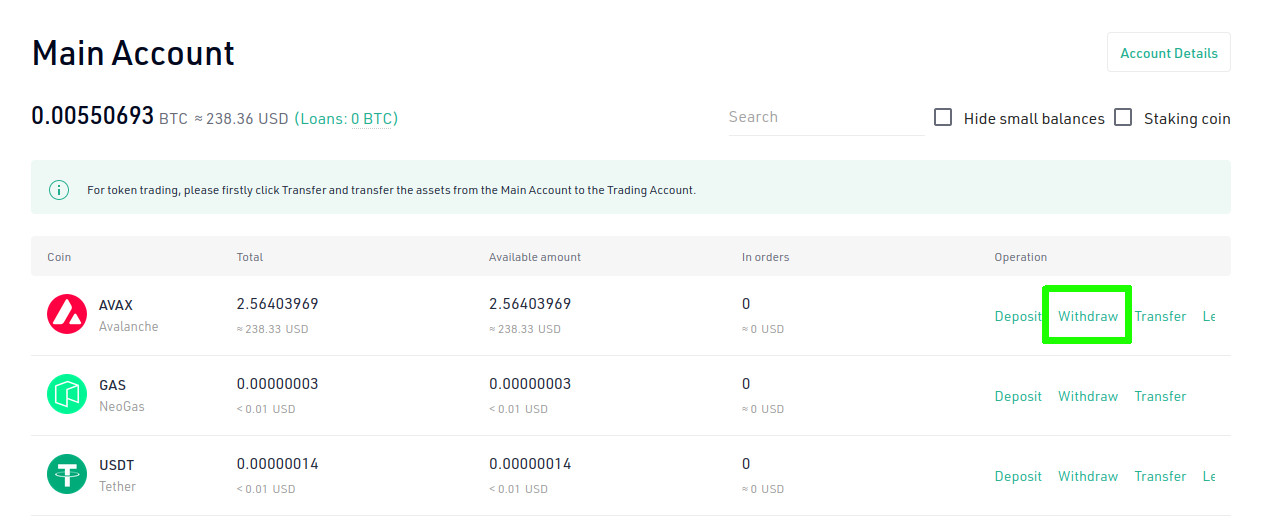
Go to your Main Account in Kucoin and click on "Withdraw" on the AVAX row
Transfer funds to Metamask
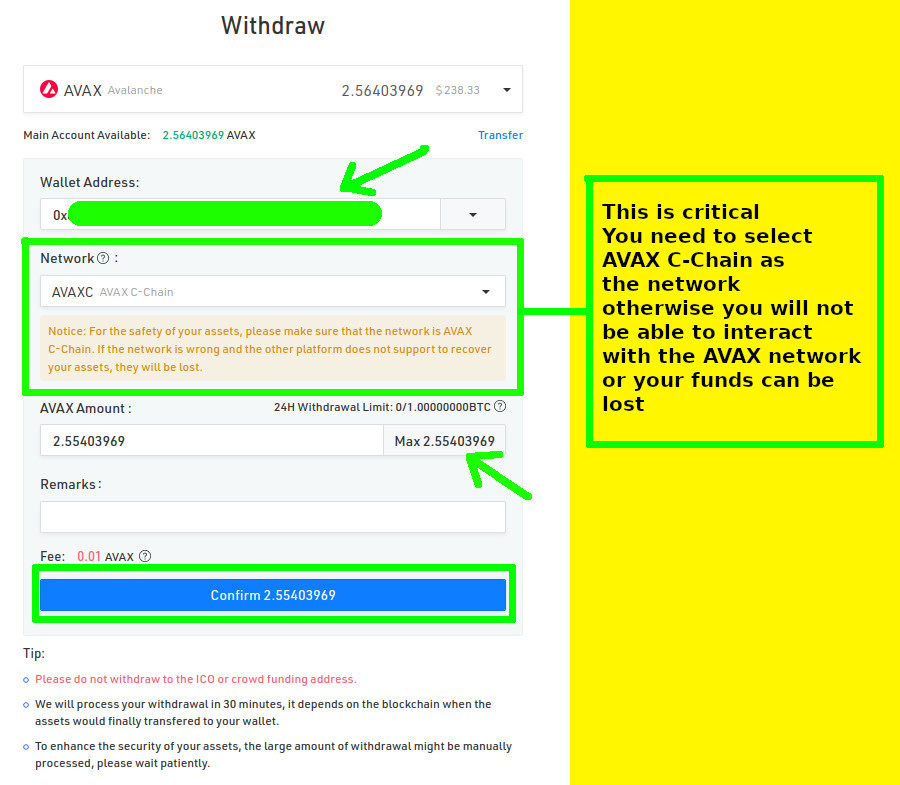
- On the "Wallet Address" enter your Metamask account address
- On the "Network" dropdown you must choose "Avalance C-Chain" network
This is a critical step, make sure to select the proper network, otherwise you may loose your funds and you won't load the funds properly in your Metamask account
- Enter the amount to withdraw
- Click "Confirm"
Transfer funds to Metamask
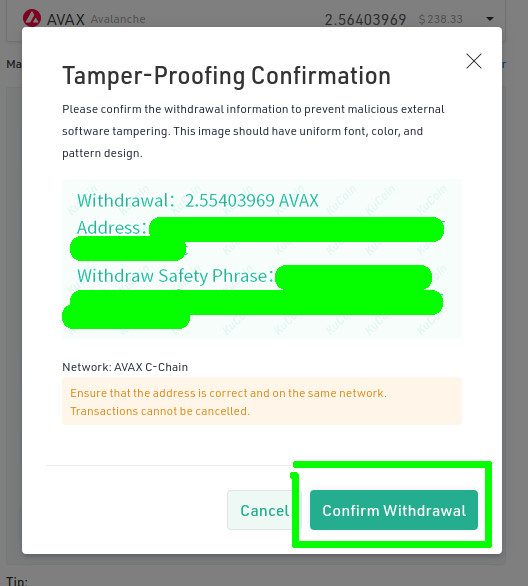
Click "Confirm Withdrawal"
Transfer funds to Metamask
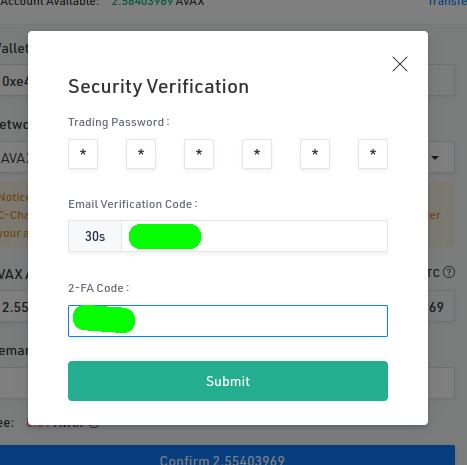
Depending on your settings you will need to enter some confirmation codes
Transfer funds to Metamask
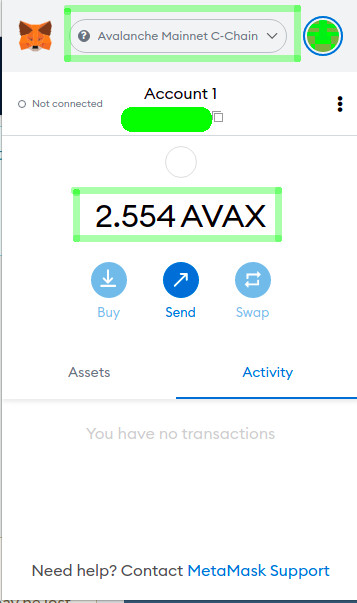
After a few minutes you will see your funds in your Metamask account
 Networks