
Create multiple sub-collections in one Smart Contract
You can create multiple collections inside one single smart contract, for that you can use "Galleries" (or sub-collections).
A Gallery has the following features:
A Gallery can belong to one or multiple users
Items in the Gallery can be filtered out
In this way you can browse one gallery independently of the other, regardless of whether they are on the same smart contract.
Galleries can be created on the fly when minting an item
Galleries can be assigned to one or multiple users on the WP Backend
Enable Galleries in the Collection
If you are planning to use sub-collections, the first step is to enable the galleries option in the collection.
Galleries are available for all smart contracts flavors
To enable the galleries option do the following:
Login into your WordPress admin site and go to the «:NFT Collections» section
Edit the collection in which you want to enable galleries
In the «Options» section locate the field «Enable Sub-Collections» and choose one of the available options:
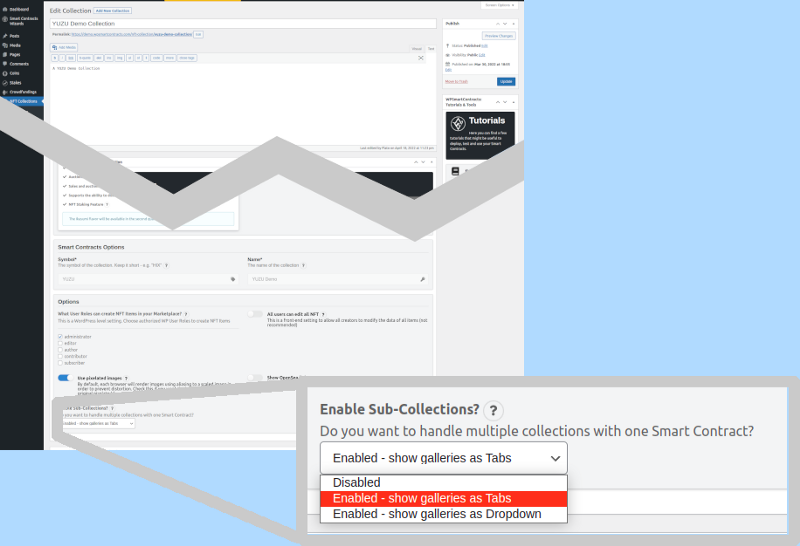
Disabled
Choose this option if you want to disable Galleries from your collection
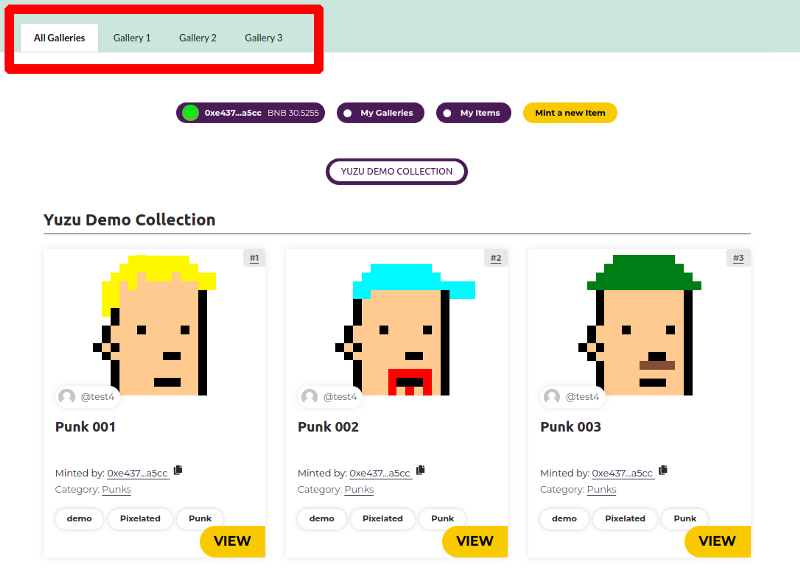
Enabled - show galleries as Tabs
Choose this option to show the galleries in an horizontal tab menu at the top of your collection
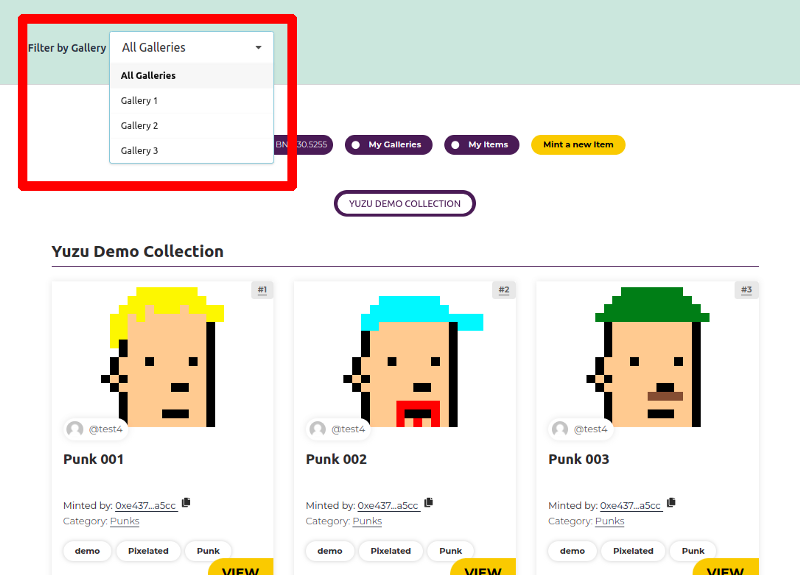
Enabled - show galleries as Dropdown
Choose this option to show the galleries in a vertical dropdown at the top of your collection
Click on «Update» on the collection
Create Galleries
Once the galleries are enabled on the collection, there are multiple ways to create and manage galleries:
Create galleries from the Frontend
Learn moreCreate galleries using the WordPress backend galleries
Learn moreCreate galleries using the Batch Mint Wizard
Learn more Making Offers Create galleries from the Frontend