
Buy Tokens
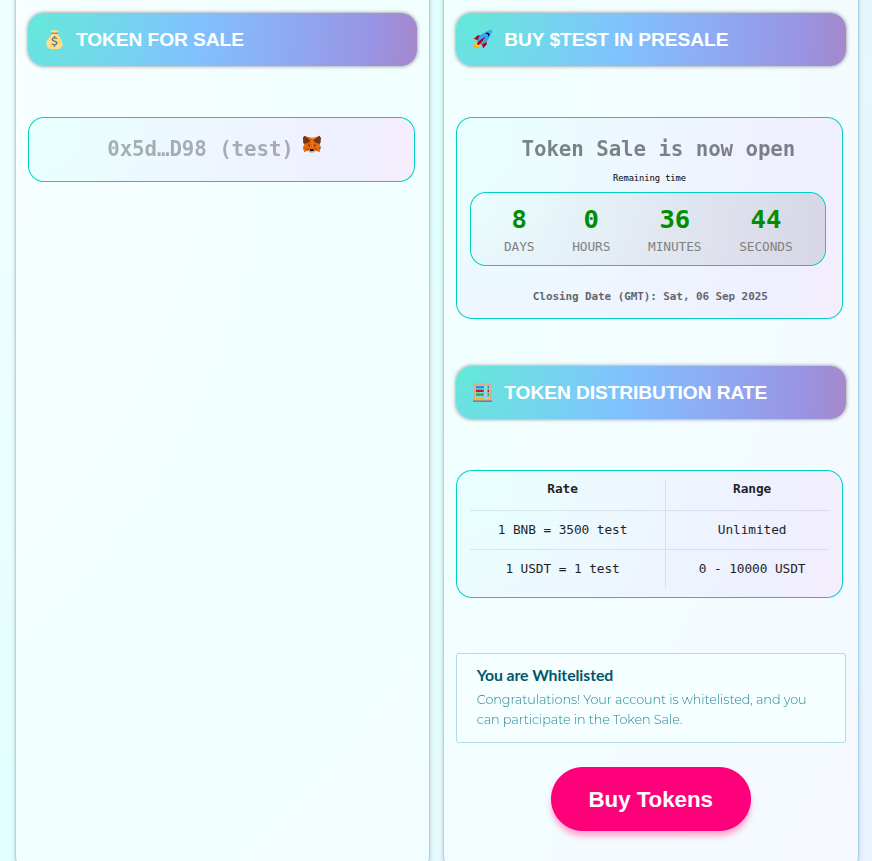
Once your ICO is properly set up, any user can contribute to your ICO using the available payment methods configured by the ICO administrator.
Your users can contribute using the UI interface and send contributions using their wallets. The system supports multiple payment options:
Available Payment Methods
Native Coin Payment
Users can pay with the blockchain's native currency (Ether on Ethereum, BNB on BSC, AVAX on Avalanche, etc.) at the configured distribution rate.
ERC-20 Token Payment
Users can also pay with any ERC-20 tokens that have been configured by the ICO administrator, each with their own exchange rates and contribution limits.
How to Purchase Tokens
To participate in the ICO, users need to:
Click the 'Buy Tokens' button on the ICO page
Optionally, set a different address to receive the tokens (if you want tokens sent to a different wallet)
Select the form of payment from the dropdown menu (native coin or available ERC-20 tokens)
Specify the amount you want to invest in the selected payment method
Click 'Send' to initiate the transaction
Approve the transaction in Metamask or your connected wallet
Wait for transaction confirmation - tokens will be distributed according to the configured delivery settings
ICO Setup NFT Collections